A Windows desktop workflow that connects DLMS/COSEM communication, batch verification, automatic calibration, result review, and versioned release without hiding the physical-device boundary.
01 What it solves
What it solves
Meter development work often moves between a serial tool, a calibration bench, a standard meter, spreadsheets, and release notes. This project brings those handoffs into one Python/Tkinter workbench while keeping transport details, expected values, and calibration stages inspectable.
02 Engineering loop
Engineering loop
01Select serial / Wrapper / MQTT transport
02Read or write OBIS data
03Compose a checked batch
04Run against the meter or bench
05Compare expected and actual values
06Calibrate and write back approved values
07Review data and package a release
03 System architecture
System architecture
Tkinter workbench
Presents connection settings, OBIS management, batch commands, calibration windows, data review, help, and logs as one desktop surface.
Command and batch layer
Builds single GET/SET/ACTION/PROFILE/GETFRAME operations, expected-value checks, cancellation, and result summaries.
DLMS transport
Uses serial HDLC, Wrapper, MQTT, and multi-serial paths to reach a meter, a standard meter, or a calibration bench.
Build and delivery
Packages the tested desktop workflow with PyInstaller, versioned EXEs, release notes, and controlled cleanup of old artifacts.
01Tkinter UI→
02Command / batch layer→
03DLMS client→
04HDLC · Wrapper · MQTT→
05Meter · standard meter · bench
04 Calibration and review workflow
Calibration and review workflow
01 · Configure
Choose wiring, transport, meter position, and the measurement point before executing anything.
02 · Collect
Read standard-meter and device values through the same observable command path.
03 · Adjust
Run manual, automatic, high-precision, center-error, or small-signal calibration steps with explicit stages.
04 · Review
Compare expected values, inspect curves or instantaneous data, and export the result for the next engineering decision.
05 Sanitized interface evidence
Sanitized interface evidence
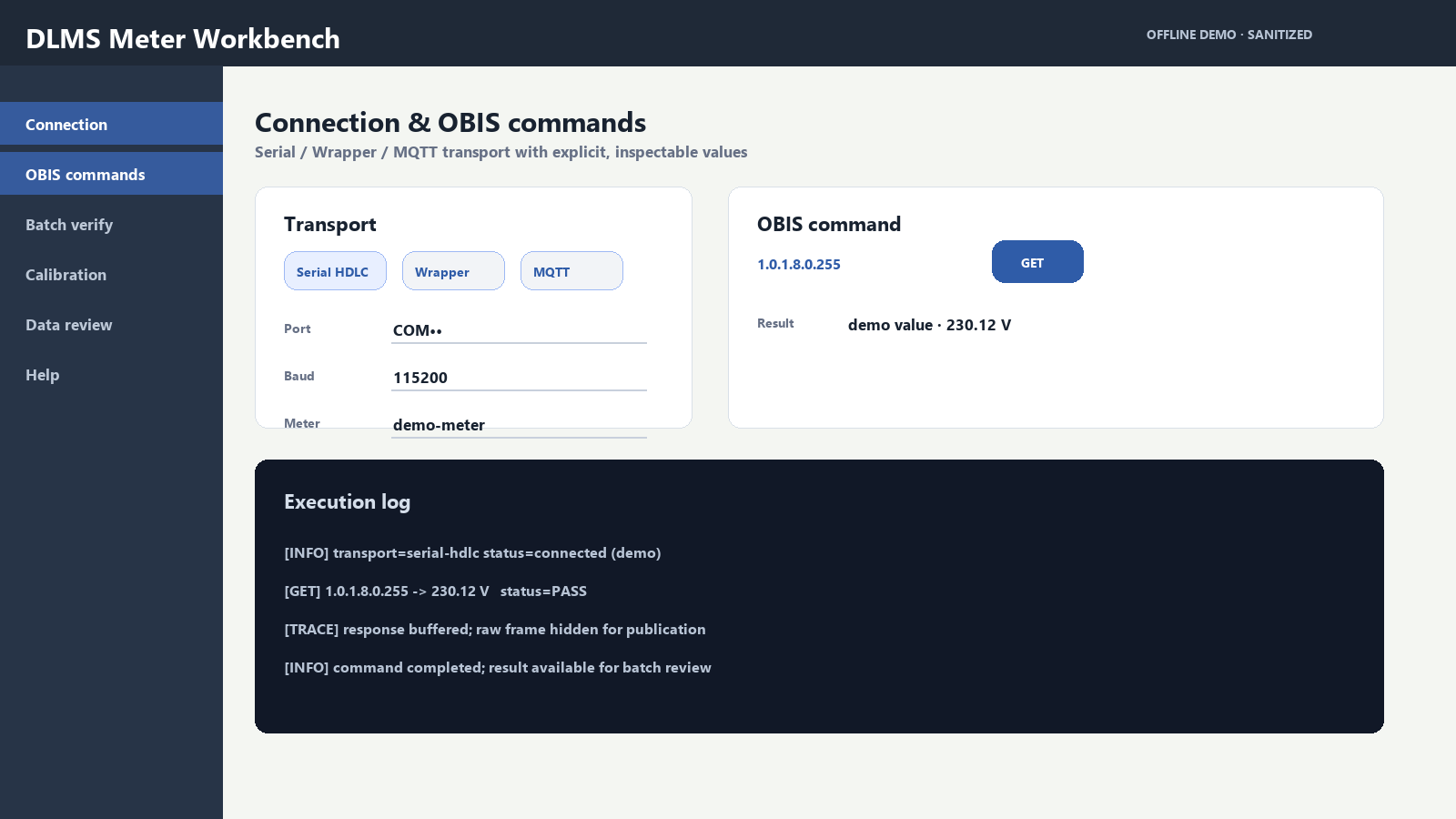
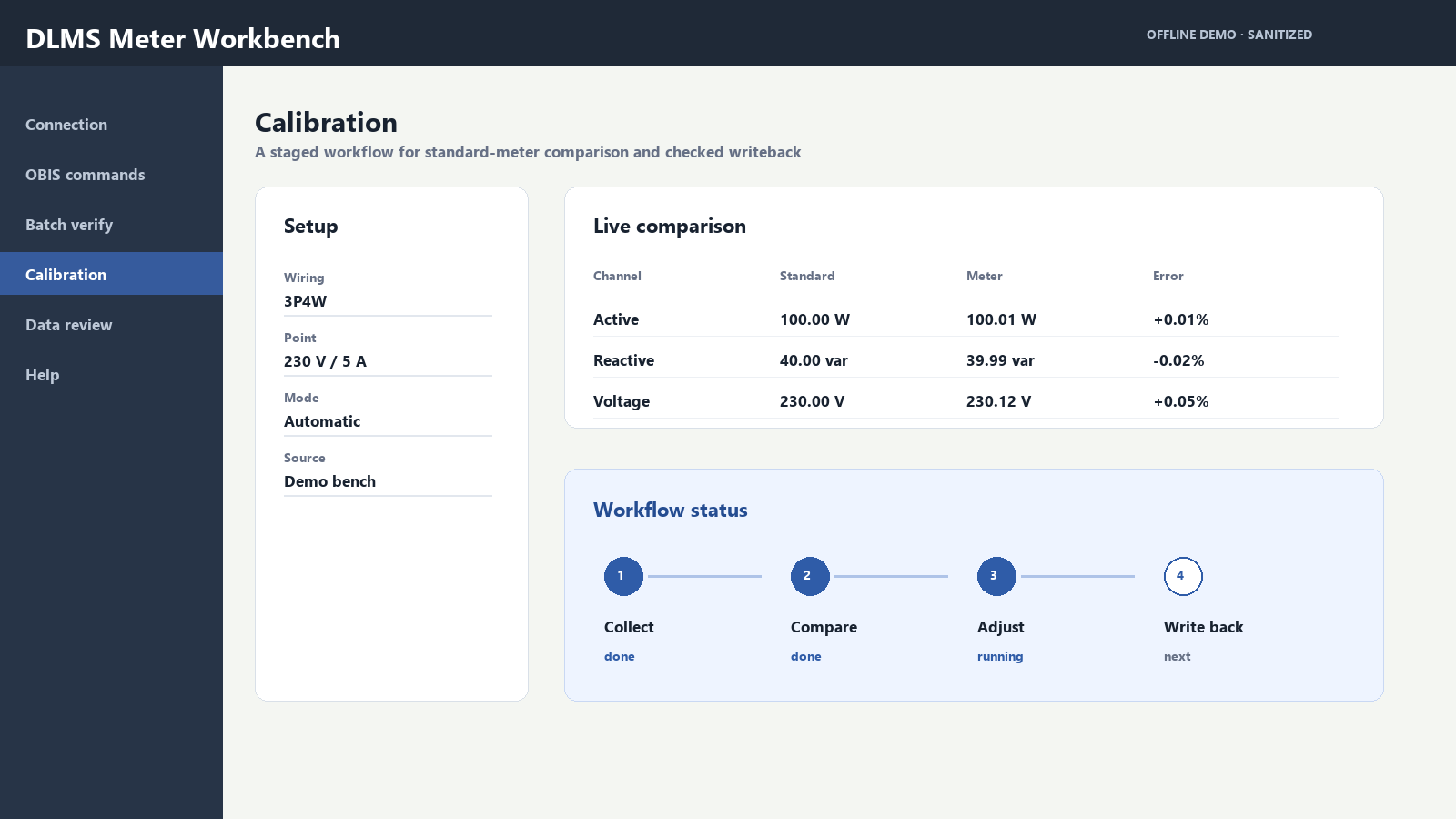
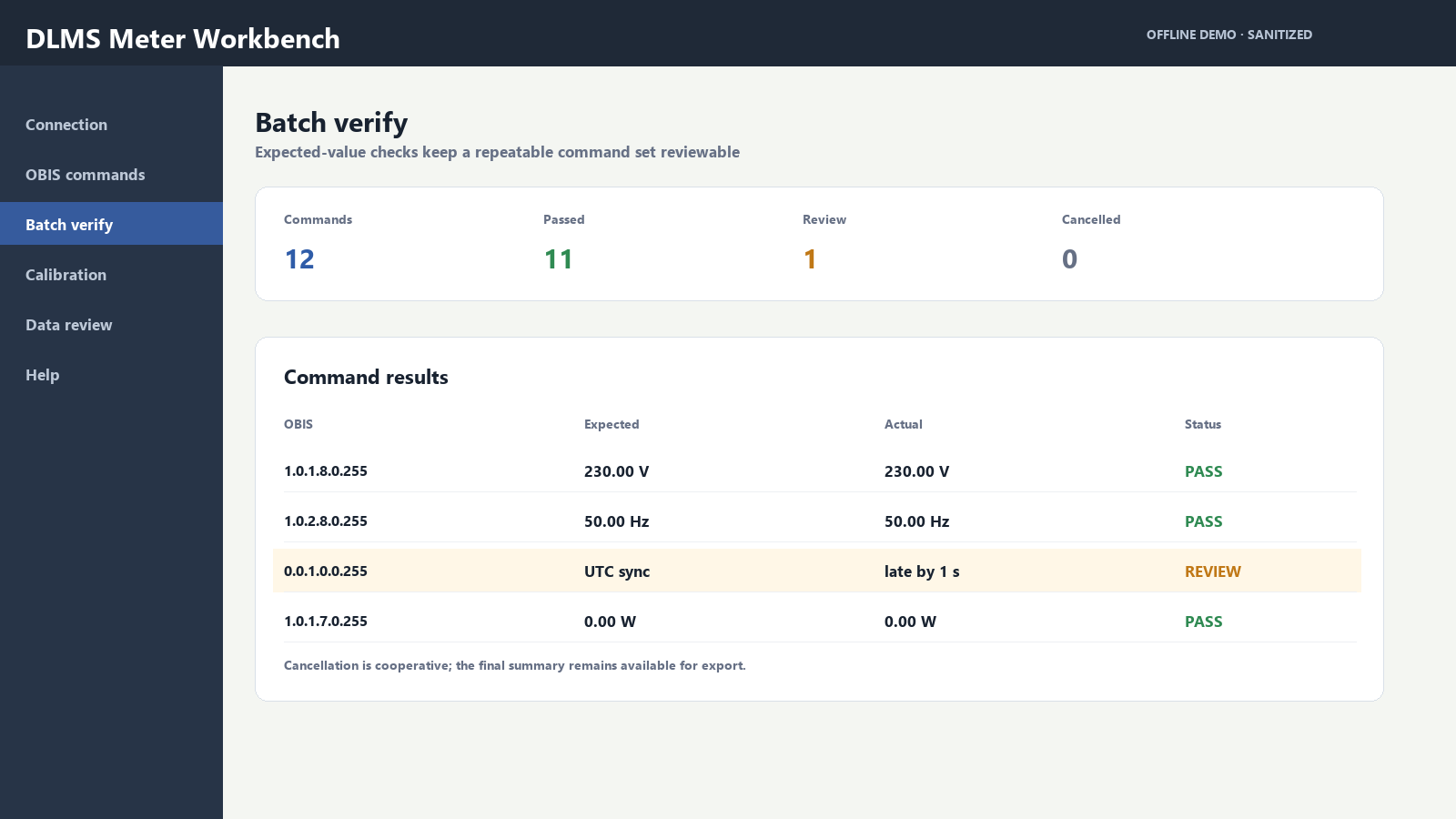
Connection & OBIS command surfaceA publication-safe view of transport selection, OBIS operations, explicit demo values, and an execution log. Port names and raw frames are intentionally masked.Calibration stage reviewThe calibration window makes wiring, test point, standard-meter comparison, and the collect → compare → adjust → write-back stages visible in one place.Batch verification summaryExpected-value checks turn a repeatable command set into a reviewable table, including cooperative cancellation and a clearly isolated item for follow-up.
06 Reliability & operations
Reliability & operations
GET, PROFILE, and GETFRAME paths can reconnect after a recoverable transport interruption; SET and ACTION paths do not blindly retry writes that may already have taken effect.
Large responses are buffered and rendered through bounded logs or virtual pagination so a long frame does not freeze the desktop surface.
Batch cancellation is cooperative and produces a final summary, while serial ownership is released before another window or workflow starts using the port.
Exceptions are logged with context, and the release path creates a versioned EXE instead of treating a local development run as a deliverable.
07 Verification & release
Verification & release
The repository contains nine test modules and roughly 67 test functions covering batch comparison, protocol helpers, calibration calculations, data handling, and release-facing utilities.
The primary build entry is python build_system/builder.py, which drives PyInstaller and produces a versioned Windows executable.
Acceptance is based on pytest results, execution logs, checked values, exported data, and real device behaviour; no unverified efficiency or accuracy percentage is claimed here.
08 Engineering with Codex
Engineering with Codex
Engineering with CodexCodex accelerated implementation, but it did not replace protocol judgement or hardware acceptance. The software’s behaviour is established by tests, logs, reports, and device results.
Used Codex to split the desktop tool into UI, command, transport, data, and build concerns; then iterated on batch checks, calibration flows, documentation, and release scripts.
Used generated test examples and review passes to expose edge cases such as expected-value comparison, cancellation, long responses, and write-operation retry boundaries.
Kept the final decisions human-owned: protocol semantics, calibration meaning, real bench debugging, failure attribution, and release acceptance remained with me.
09 Project boundary
Project boundary
This case documents a dependable engineering workbench, not an autonomous diagnostic system. Future AI support may summarize structured logs or retrieve similar issues, with a person reviewing every suggested conclusion.